

Planning an EV road trip is easier when you build the route around your vehicle’s real highway range, charging-port compatibility, and charging speed—not just the estimated miles shown at 100%. A reliable plan includes a primary and backup charger for each long leg, extra range for weather or detours, and enough time to handle a slow or unavailable station.
Quick Answer
To plan an EV road trip, confirm your vehicle’s connector and maximum charging rate, enter the exact model into an EV route planner, and select a primary and backup charger for each leg. Account for weather, speed, elevation, and payload, then recheck station status before departure and while traveling.
Key Takeaways
- Use your exact EV model, battery, wheel size, and connector when planning the route.
- Choose backup chargers before you need them, especially on rural or weather-sensitive routes.
- Many EVs fast-charge most quickly at a lower state of charge and slow as the battery approaches full.
- Cold, heat, high speed, wind, elevation, towing, roof cargo, and HVAC use can reduce range.
- Confirm hotel and public chargers by connector, access hours, power, fees, and recent operating status.
At a Glance
| Time Required | About 30–60 minutes for route and charger planning |
| Difficulty | Easy, with extra preparation for remote routes, winter travel, or towing |
| Tools Needed | Vehicle navigation, EV route planner, charging-network apps, approved adapter if required, tire gauge, and emergency kit |
| Cost | Route planning is usually free; charging, parking, idle fees, tolls, and app subscriptions vary |
Essential Pre-Trip Checks for Your EV
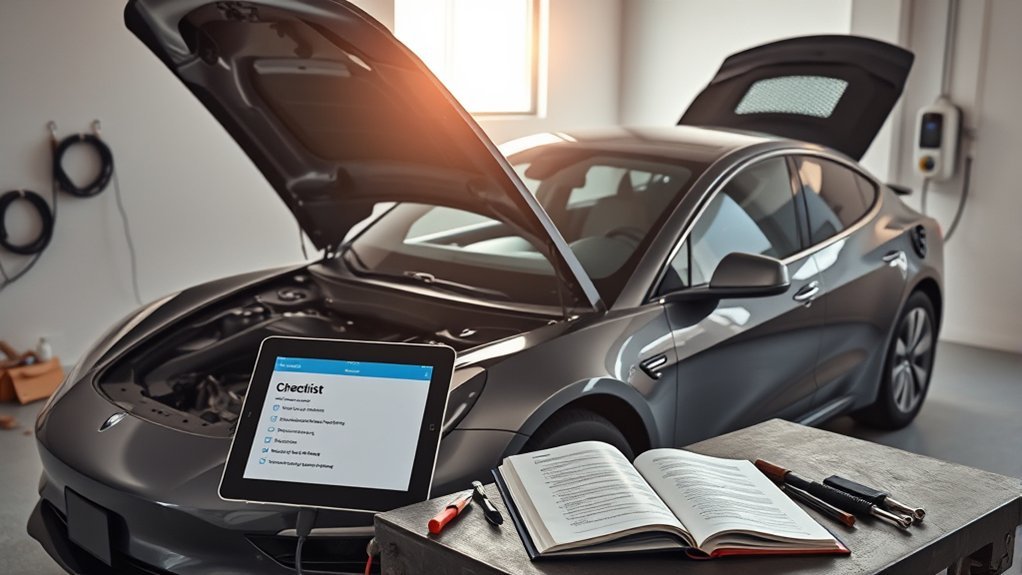
Complete the same basic safety checks you would make before any long drive, then add a few EV-specific checks. The goal is not to inspect the high-voltage system yourself. It is to identify warnings, tire problems, missing charging equipment, and route limitations before leaving home.
- Review vehicle alerts: Check the dashboard and vehicle app for battery, cooling-system, charging-system, brake, tire-pressure, or 12-volt battery warnings.
- Choose the departure charge: Set a charge target that gives you a comfortable margin to the first reliable stop. A daily limit near 80% is common on many vehicles, but it is not universal. Follow your owner’s manual. When a long first leg requires more range, schedule charging so the vehicle reaches 100% close to departure rather than sitting full for an unnecessary period.
- Check cold tire pressure: Measure pressure before driving or after the vehicle has been parked for at least three hours. Use the pressure on the driver-door placard or in the owner’s manual—not the maximum shown on the tire sidewall. The National Highway Traffic Safety Administration’s road-trip guidance also recommends inspecting tread and sidewalls before a long trip.
- Inspect road-safety equipment: Check lights, wipers, washer fluid, tires, mirrors, and charging-port operation. Arrange service if the brakes feel unusual or the vehicle displays a warning.
- Check recalls: Search the vehicle identification number using the NHTSA recall lookup and address open safety recalls before a long trip when possible.
- Pack the right charging equipment: Bring only manufacturer-approved portable charging equipment and adapters. Confirm that each adapter is supported by both the vehicle and the charging network.
- Prepare for common delays: Carry a tire inflator or the equipment supplied with the vehicle, drinking water, weather-appropriate clothing, a phone cable, a flashlight, and the roadside-assistance number.
Warning: Do not touch, open, disconnect, or attempt to repair orange high-voltage cables, the traction battery, battery coolant lines, the charging inlet, or damaged charging equipment. If the vehicle is smoking, hissing, leaking, unusually hot, or badly damaged, move away, call emergency services, and tell responders that it is an electric vehicle.
Understand EV Charging Levels, Connectors, and Speed
A charger is useful only when its connector, network access, and power are compatible with your EV. Before selecting a stop, confirm all three.
- AC Level 1: Uses a standard household-voltage supply and charges slowly. It may help during a long overnight stay but is rarely the main option for a full road-trip recharge.
- AC Level 2: Common at hotels, workplaces, parking garages, attractions, and destination chargers. It is well suited to overnight charging or stops lasting several hours.
- DC fast charging: Used for most on-route charging stops because it sends DC power directly to the traction battery. Actual speed depends on the station, vehicle, state of charge, battery temperature, and charging curve.
Current North American connectors include J1772 for AC charging, CCS1 for DC fast charging on many vehicles, SAE J3400/NACS for AC and DC charging, and CHAdeMO on some older vehicles. The federal SAE J3400 charging-connector guide explains the relationship among J3400, CCS1, and J1772.
Do not assume that a J3400 adapter automatically gives every non-Tesla vehicle access to every Supercharger. Access can depend on the vehicle manufacturer, software, approved adapter, charging site, and network agreement. Check the vehicle manufacturer’s app or support page and the charging network before adding the station to your route.
Note: A 350-kW station does not make every EV charge at 350 kW. The vehicle controls how much power it accepts, and that rate can change throughout the session.
How to Optimize Your Route With Charging Stops
Build the route one charging leg at a time instead of looking only at the total trip distance. Use the vehicle’s built-in planner when available, then compare its route with an EV-specific tool such as A Better Routeplanner. Use PlugShare, the charging network’s app, and the federal Alternative Fueling Station Locator to verify the stop.
- Enter the exact vehicle: Select the correct model year, battery, drivetrain, wheel size, and trailer or payload setting when the planner supports them.
- Set realistic conditions: Include expected temperature, highway speed, elevation, headwind, payload, towing, and desired arrival charge.
- Select a primary charger: Confirm the connector, maximum power, number of stalls, access hours, parking rules, pricing, amenities, and recent operating reports.
- Select a backup charger: Identify another compatible station that you can still reach if the primary location is full or offline. Do this before starting the leg.
- Choose a safe arrival buffer: Do not plan to arrive at 0%. Use a larger buffer in winter, severe heat, mountains, high winds, rural areas, towing conditions, or regions with few alternatives.
- Charge only as much as the next leg requires: Many EVs charge quickly at a lower state of charge and slow as they approach full. A shorter stop may save time when another reliable charger is available farther along the route.
- Recheck the route: Review charger status before departure, after major weather changes, and before passing the last practical alternative.
Pro Tip: When your EV supports battery preconditioning, route to the DC fast charger through the vehicle’s built-in navigation. The car may warm or cool the battery before arrival, improving charging performance in very hot or cold weather.
Account for Weather, Speed, Terrain, and Load
An EPA range rating is a standardized comparison figure, not a promise that the vehicle will cover that distance on every highway trip. The EPA explains that cold weather, accessory use, and high-speed driving can reduce EV range.
Build extra range into the plan when any of these conditions apply:
- Cold weather: Cabin heating and battery heating use energy, while a cold battery may charge more slowly.
- Hot weather: Air conditioning and battery cooling add electrical load.
- High speed: Aerodynamic drag rises quickly as speed increases, making sustained highway driving less efficient.
- Headwinds and rain: Both increase the energy needed to maintain speed.
- Elevation: Long climbs use more energy. Regenerative braking may recover part of that energy during a descent, but it should not be treated as a complete refund.
- Payload and roof cargo: Extra weight and aerodynamic drag can reduce range.
- Towing: A trailer can substantially change energy use and may limit which charging stalls are easy to enter or leave.
Plan with the range your EV is achieving under today’s conditions—not the best range it has displayed under mild, low-speed driving.
Master Charging Etiquette on the Road
Good charging etiquette keeps limited charging equipment available and reduces delays for everyone.
- Use a charging space only while actively charging unless the signs clearly allow longer parking.
- Move the vehicle promptly after reaching the charge needed for the next leg.
- Watch for idle fees, parking limits, closing times, and towing rules.
- Do not unplug another vehicle unless the owner has clearly authorized it and the site rules permit it.
- Return the connector carefully and keep the cable out of driving lanes and accessible paths.
- Do not park in a marked accessible charging space or access aisle unless you are entitled to use it and are following posted rules.
- Report damaged connectors or nonworking stalls through the network app or support number.
- If towing, avoid blocking multiple stalls whenever a trailer-friendly space or safe uncoupling area is available.
A visible phone number on the vehicle is optional, not required. For better privacy, use charging-network notifications and stay close enough to move the vehicle when charging is complete.
Choosing EV-Friendly Places to Stay
An overnight Level 2 charge can replace a separate fast-charging stop, but a charger icon in a hotel listing does not guarantee that a plug will be available.
Before booking, confirm:
- Connector and power: Ask whether the property has J1772, J3400/NACS, a wall outlet, or another connector and whether an adapter is required.
- Number of charging ports: One charger for a large hotel may be occupied for much of the night.
- Guest access: Find out whether the charger is reserved for guests, open to the public, controlled by valet staff, or behind a gate.
- Operating status: Check recent network data and call the property directly.
- Fees: Ask about charging, parking, valet, session, and idle charges.
- Reservations: Determine whether the charging space can be reserved or is first-come, first-served.
- Parking duration: Confirm whether the vehicle may remain connected overnight or must be moved after charging.
Arrive with enough energy to reach a public backup charger. Do not depend on a single hotel plug for the next morning’s departure.
Warning: Do not plug into an unapproved hotel, campground, or exterior outlet. Obtain permission, use only vehicle-approved charging equipment, and never use an ordinary extension cord unless the vehicle manufacturer specifically authorizes the exact setup.
Estimate Charging Time and Cost
Public charging prices may be based on energy, time, session, membership, parking, or idle fees. Review the price in the network app or on the charger before starting the session.
For a rough energy estimate:
Trip energy in kWh = trip miles ÷ expected miles per kWh
For example, a 240-mile highway trip at an expected 3 miles per kWh requires about 80 kWh from the battery. The energy billed by charging stations may be higher because charging and thermal-management losses occur.
For a rough charging-time estimate:
Charging minutes ≈ energy needed in kWh ÷ average charging power in kW × 60
If the vehicle needs 45 kWh and averages 100 kW during the session, the mathematical charging time is about 27 minutes. Real sessions also include connection time, payment, battery conditioning, and changes in charging power. Do not calculate time using the station’s advertised peak unless the vehicle can sustain that rate.
Handling Charging Challenges During Your EV Trip
Even a well-planned EV road trip can encounter occupied stalls, broken hardware, slow charging, payment errors, or outdated status information. Use the following sequence rather than continuing until the battery is critically low.
If the Charger Is Occupied or Offline
- Check the station and network app for working stalls or an estimated wait.
- Confirm that the charger is compatible with your vehicle and adapter.
- Move to the preselected backup while you still have a comfortable range margin.
- Call the support number shown on the charger when the app status appears incorrect.
- Report the outage so later drivers receive better information.
If the Charging Session Will Not Start
- Confirm that the vehicle is in Park and has completed any required unlocking step.
- Stop the session in the app or charger screen, disconnect, inspect the connector for obvious damage, and reconnect normally.
- Try another payment method, network app, or supported roaming account.
- Move to a different stall when one is available.
- Call network support rather than forcing the connector or attempting to open charging hardware.
If Charging Is Unusually Slow
Slow charging can result from a cold or hot battery, a high state of charge, shared station power, a charger fault, the vehicle’s maximum acceptance rate, or battery-protection limits. Use the vehicle’s navigation-based preconditioning feature when available. If another stall is open and the network reports a hardware problem, end the session safely and move.
If Cell Service Is Poor
Before entering a remote area, save screenshots of charger addresses, connector details, access instructions, prices, and support numbers. Carry any network RFID card you already use and download offline maps when supported. A screenshot does not confirm that the charger is working, so retain enough energy to reach an alternative.
If You Cannot Reach a Charger
Pull over in a safe legal location and contact roadside assistance. Tell the operator the exact model and that it is an EV. Follow the owner’s manual for towing. Many EVs require a flatbed or a specific wheel-lift procedure because towing with the driven wheels turning can damage the drivetrain or electrical system.
Frequently Asked Questions
What Is the Average Range of Different EV Models?
The U.S. Department of Energy describes typical all-electric vehicle ranges as roughly 150–400 miles, but the correct figure for trip planning is the EPA rating for your exact model and its recent real-world highway consumption. Temperature, speed, wind, elevation, HVAC use, load, and battery condition can change the distance achieved.
How Do Weather Conditions Affect EV Performance and Range?
Cold weather can increase cabin- and battery-heating demand, while hot weather increases air-conditioning and battery-cooling demand. Extreme temperatures may also slow fast charging. Increase the arrival buffer, precondition the cabin while plugged in, and use navigation-based battery preconditioning when the vehicle supports it.
Can I Charge My EV at Home While on Vacation?
Many EVs can remain connected to approved home charging equipment while the owner is away, allowing the vehicle to maintain its selected charge target and manage battery temperature. Follow the owner’s manual, use listed charging equipment installed correctly, and set the recommended storage charge rather than assuming every EV should remain at 100%.
What Apps Are Best for Finding EV Charging Stations?
Use several sources. The vehicle’s built-in navigation can estimate battery state and trigger preconditioning. A Better Routeplanner can model charging stops. PlugShare can provide station details and driver reports. The charging network’s own app is often the best source for starting a session, checking price, and viewing live stall status.
How Do I Maintain My EV During Long Road Trips?
Check cold tire pressure, tread, lights, wipers, washer fluid, dashboard warnings, and the condition of approved charging equipment. Monitor consumption and tire pressure during the trip. Do not open or service the traction battery, high-voltage wiring, battery coolant system, or refrigerant circuit yourself.
Should I Charge My EV to 100% Before a Road Trip?
Charge to 100% when the extra range makes the first leg safer or reduces an inconvenient stop, provided this matches the owner’s manual. Schedule the charge to finish close to departure. A shorter route with frequent reliable chargers may not require a full battery.
How Much Battery Should Remain When I Reach a Charger?
There is no safe universal percentage. Choose a buffer that still allows you to reach another compatible charger if the planned site fails. Increase the buffer in winter, mountains, high winds, heavy traffic, towing conditions, rural areas, or places with few alternative stations.
Can Every Non-Tesla EV Use a Tesla Supercharger?
No. Access depends on the vehicle manufacturer, model, charging site, software, connector, and approved adapter. Confirm eligibility in the vehicle manufacturer’s app or support documentation and in the charging network before including a Supercharger in the route.
Conclusion
A smooth EV road trip comes from planning for the charger you intend to use and the charger you may need instead. Confirm the vehicle, connector, adapter, station power, access rules, and weather before departure. Keep a realistic arrival buffer, use battery preconditioning when available, and adjust the route whenever actual energy use differs from the original estimate.
Most charging delays are manageable when you identify backups early. The risky approach is waiting until the battery is nearly empty before checking whether the next station is compatible, accessible, and operating.
Sources
- National Highway Traffic Safety Administration — Summer Driving & Road Trip Tips — tire-pressure, tread, vehicle-inspection, and road-trip safety guidance.
- U.S. Department of Energy Alternative Fuels Data Center — Electric Vehicles — typical battery-electric driving ranges and EV definitions.
- Alternative Fuels Data Center — Electric Vehicle Charging Stations — charging levels, connectors, and vehicle compatibility.
- Joint Office of Energy and Transportation — SAE J3400 Charging Connector — current J3400/NACS, CCS1, and J1772 connector information.
- U.S. Environmental Protection Agency — Seven Tips Every EV Driver Should Know — fast-charging taper, charging targets, and battery preconditioning.
- U.S. Environmental Protection Agency — Electric and Plug-In Hybrid Electric Vehicles — range ratings and the effects of weather, accessories, and high-speed driving.







Leave a Reply